Confidence  ·  Clarity  ·  Profit

For woodworkers who sell their work.

Stop losing your hard-earned profit to hidden shop costs and pricing anxiety. The Woodworkers Pricing & Profit Toolkit calculates every build from your real numbers — materials, labor, and overhead — so you can stop guessing what to charge and start keeping a real profit.

Stop losing hard-earned profit to hidden shop costs and pricing anxiety. Calculate every build using your real materials, labor, and overhead — so you know what to charge and what you will actually keep.

$69 one-time  ·  Instant digital download  ·  30-day money-back guarantee

Build with peace of mind, quote with confidence, and finally get paid what your work is worth.

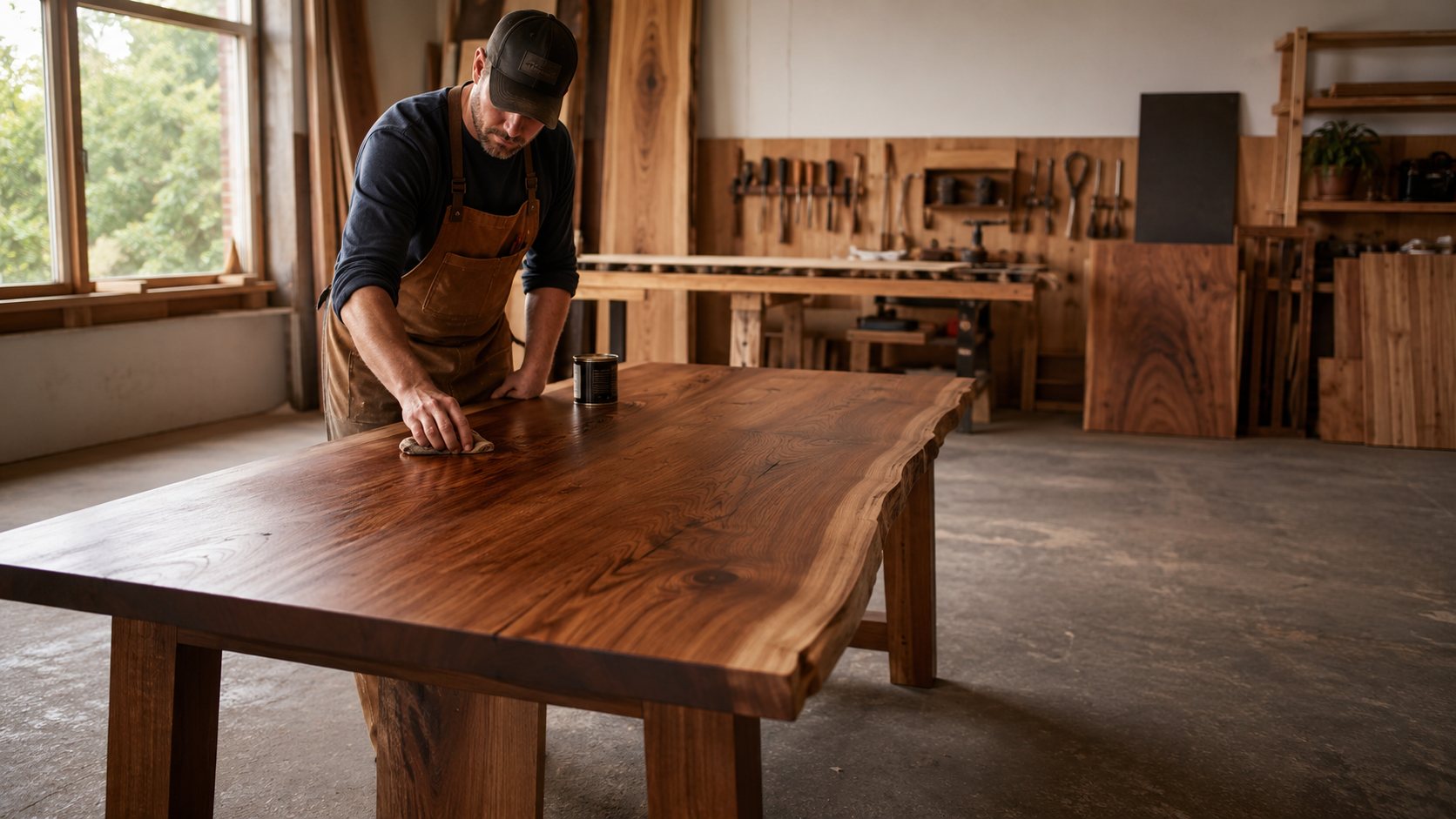
A woodworker hand-finishing a live-edge walnut dining table in his shop

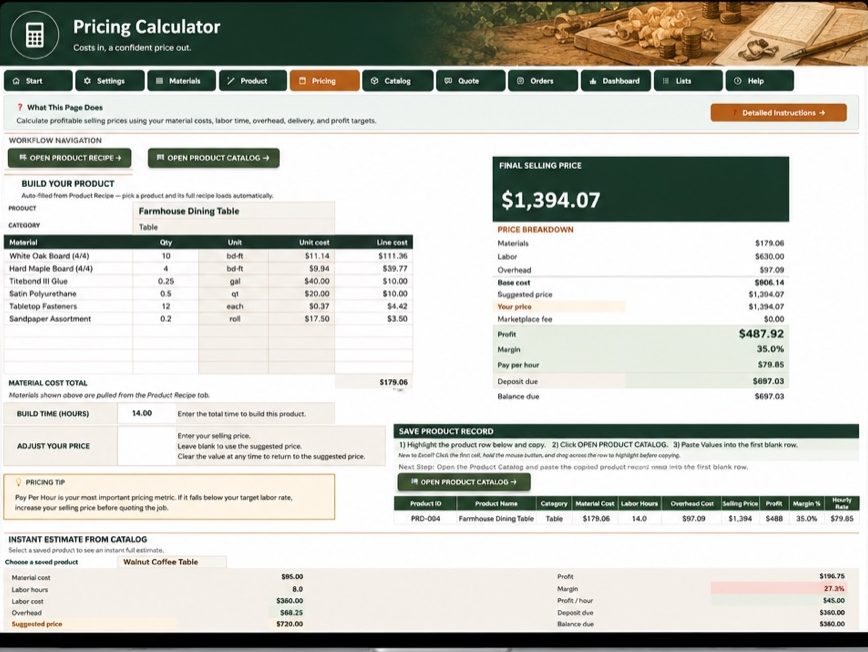
Final selling price

$1,394.07

  • Net Profit Kept$487.92
  • Margin35.0%
  • Your True Take-Home Pay / HR$79.85

Your entire shop’s health, completely under control

Your Shop at a Glance

  • Revenue$13,573
  • Profit$2,748
  • Margin20.2%
  • Average Shop Take-Home Rate$16.36
  • Total Pricing Confidence

    Never second-guess your quotes or feel anxious when a customer asks for a breakdown.

  • Fair Pay for Every Hour

    Stop working for less than minimum wage and start protecting your hard-earned labor time.

  • Protected Business Profit

    Ensure every build covers its own materials, waste, and shop overhead before it leaves the door.

  • Complete Shop Control

    Know exactly how your business is doing with a single, clear dashboard that tracks your true health.

The real problem

Underpricing isn’t a craftsmanship problem. It’s a missing-numbers problem.

Most underpriced work comes from the same place: a price built on materials and a hunch. The build is excellent. The math is incomplete.

A project can look profitable while the hidden costs quietly eat the margin — and you don’t find out until the money’s spent and the piece is out the door. Multiply that by a season of craft shows and custom orders, and a busy shop can end up working for less than minimum wage.

Nobody spends hours at the bench so a customer can pay less than they would at a big-box store. Good work is worth a real price. Guessing at that price is how good work ends up paying less than minimum wage.

Pricing against other sellers doesn’t fix it. Many of them are missing the same numbers — matching their prices just joins the race to the bottom.

The shift

From guessing to knowing.

Pricing by guess

  • A different number every time you quote
  • Overhead and delivery left out — or padded blindly
  • Labor priced at whatever feels safe to say out loud
  • Rebuilding the math from scratch for every customer
  • Revenue you can see, profit you can’t
  • Second-guessing every price a customer questions

Pricing by the numbers

  • One repeatable method for every product and quote
  • Materials, labor, overhead, delivery, and fees — all in
  • A profit target and hourly rate you set on purpose
  • Products saved once, reused in every quote and order
  • Revenue, costs, profit, and margin on one dashboard
  • A price you can explain line by line — and stand behind

I’ve been there

“I built this because I was sick of guessing what I should charge instead of knowing my real costs and margins.”

— Patrick Nichols, Nichols Woodworking Co.

Every number in this toolkit came from pricing my own work first — then getting it wrong, then fixing it.

Before Nichols Woodworking Co., I spent 30 years building operational systems for other people’s businesses as a consultant. This toolkit is that same discipline, aimed at my own shop’s numbers.

The workflow

Four steps. Then it’s minutes per price.

The workbook is deep, but the path through it is simple — and the Start Here tab walks you through every step.

  1. Set up your shop. Labor rate, target margin, overhead, and fees — entered once.
  2. Price your products. Materials and labor build the recipe; the calculator returns price, profit, margin, and pay per hour.
  3. Quote and get paid. Turn saved products into customer-ready quotes, then track deposits and balances to delivery.
  4. Watch your profit. Revenue, profit, and margin for the whole shop — on one dashboard.

The toolkit

One workbook. The whole money side of your shop.

This isn’t a pricing calculator bolted to a spreadsheet. It’s a connected system: your shop settings feed your prices, your prices feed your quotes, your quotes feed your orders and your dashboard. Enter a number once and it works everywhere.

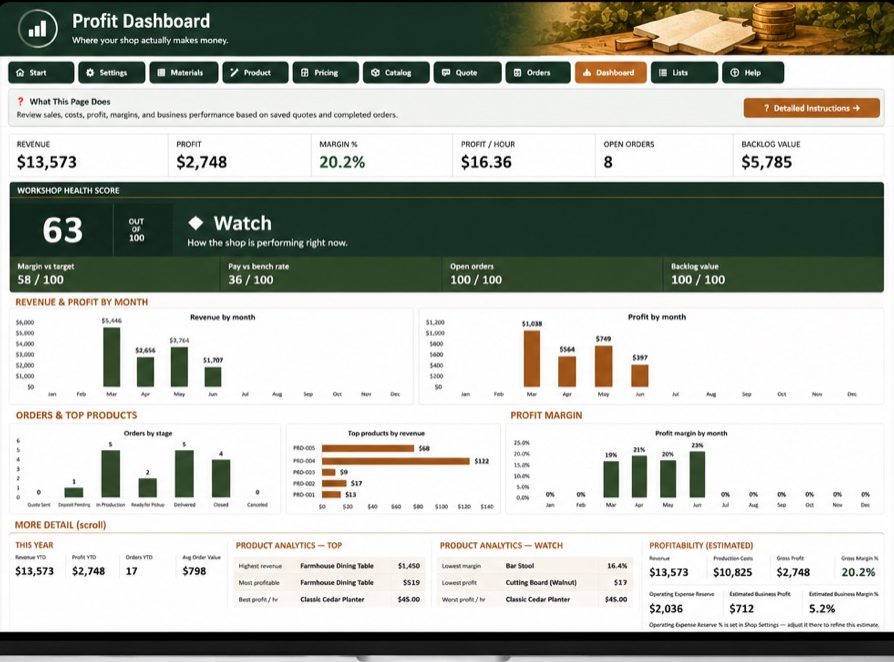
Profit Dashboard worksheet with revenue, profit, margin, workshop health score, monthly revenue and profit charts, order stages, and top products by revenue
  • Start Here
  • Shop Settings
  • Materials Library
  • Product Master
  • Pricing Calculator
  • Product Catalog
  • Quote & Proposal Builder
  • Order Tracker
  • Profit Dashboard
  • Pricing Masterclass
  • Lists Manager
  • Help Center

How it earns its keep

Six jobs it does for your shop.

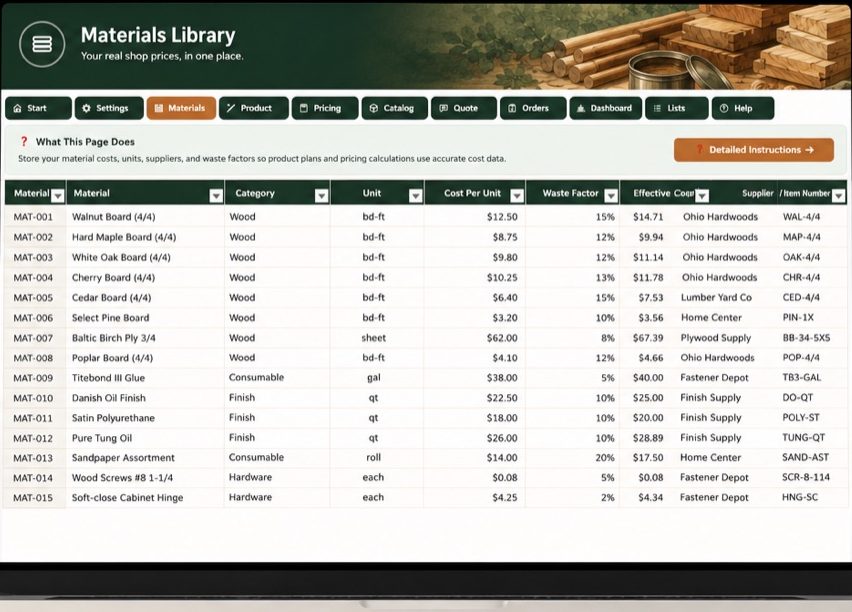
Materials Library

Know the real cost of every product

Store your materials once — lumber, hardware, finishes, consumables — with real supplier costs, units, and a waste factor for each. Every product you price pulls from the same library, so a price is never built on a guess about what walnut costs this month.

  • Cost per unit, waste factor, and effective cost per material
  • Update a price once — every product that uses it follows
Materials Library worksheet listing wood, hardware, and consumables with cost per unit, waste factor, effective cost, and supplier columns

Pricing Calculator

Price for profit, not just revenue

Pick a product and its full recipe loads automatically. Add your build time, and the calculator returns a suggested selling price with the complete breakdown: materials, labor, overhead, fees, profit, margin, and — the number that matters most — what the job actually pays you per hour.

  • Suggested price from your costs and your target margin
  • Profit, margin, and pay-per-hour on every calculation
  • Adjust your price and watch the numbers respond
Pricing Calculator worksheet building a price for a farmhouse dining table from its bill of materials and labor hours

This build returns

  • Profit$487.92
  • Margin35.0%
  • Pay per hour$79.85

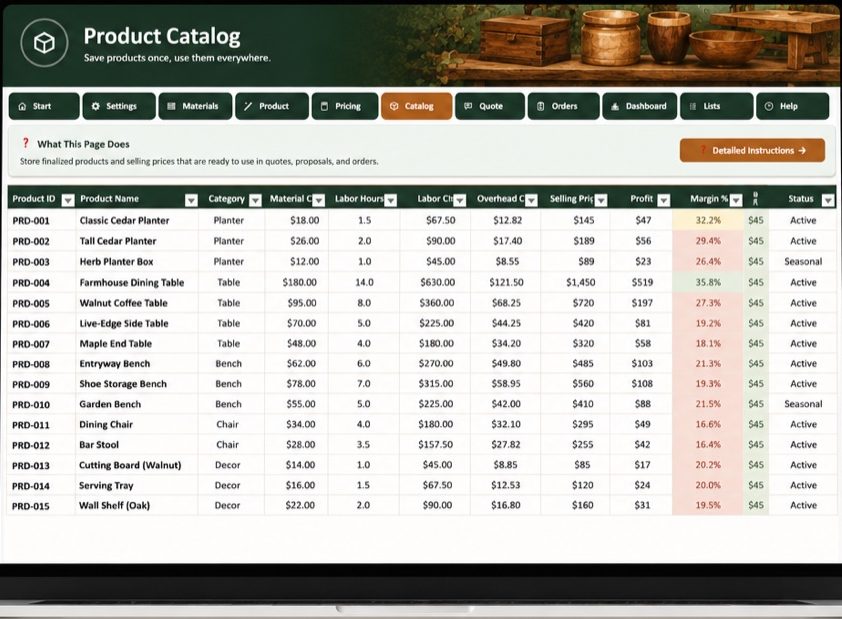
Product Master & Product Catalog

Build the numbers once. Reuse them forever.

Each product gets a recipe — its materials, quantities, and labor — built once and saved. Priced products land in your catalog with their costs, margins, and selling prices, ready to drop into any quote or order. No more rebuilding the same math every time someone asks for a cutting board.

  • One row per product, from recipe to selling price
  • Instant estimates from any saved product
Product Catalog worksheet listing finished products with material cost, labor hours, overhead, selling price, profit, and margin for each

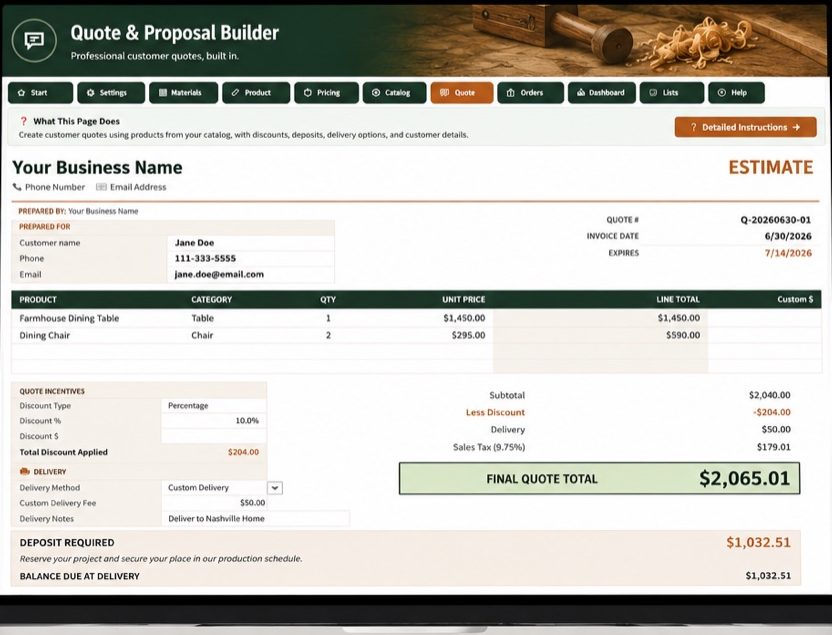
Quote & Proposal Builder

Send quotes that close the job

Pull saved products into a clean, customer-ready quote with line items, discounts, delivery, deposit, and terms. Because every line comes from your real costs, you know the margin on the quote before you send it — and you can defend every number on it.

  • Line items straight from your catalog
  • Discounts, delivery options, deposits, and expiration dates
  • Saved to a quote log so nothing gets lost
Quote and Proposal Builder worksheet with customer details, line items, discount, delivery, deposit required, and final quote total
Final quote total$2,065.01

Order Tracker

Track every order from deposit to delivery

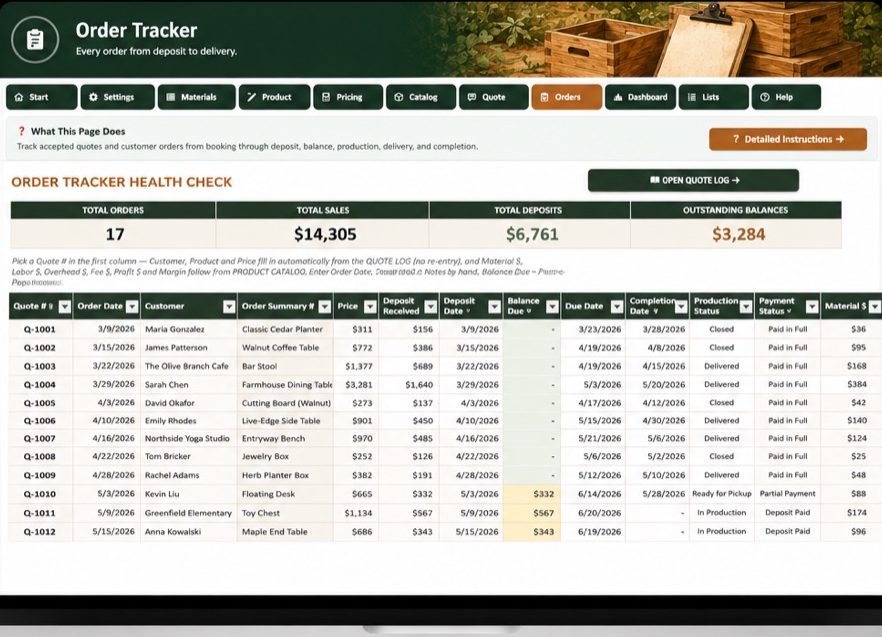
Logged quotes become orders you can actually manage: production stage, payment status, deposits received, balances due, delivery dates. The days of finding out at tax time which customers never paid their balance are over.

  • Total sales, deposits, and outstanding balances at a glance
  • Production and payment status for every job
Order Tracker worksheet with order health check totals and rows of orders showing stages, deposits, balances, and delivery status

Profit Dashboard

See how the business is actually doing

Revenue, profit, margin, and profit per hour — for the whole shop, not just one job. Monthly trends, orders by stage, top products, and a workshop health score tell you what’s working, what’s slipping, and where the next dollar of profit is hiding.

  • Built automatically from your quotes and orders
  • Spot your most — and least — profitable products
Profit Dashboard worksheet with KPIs, workshop health score, monthly revenue and profit charts, and product analytics
  • Revenue$13,573
  • Profit$2,748
  • Margin20.2%
  • Profit / hr$16.36

What one corrected price is worth

Same table. Two prices.

Here’s the sample build that ships inside the workbook — a farmhouse dining table with $179 in materials and 14 hours of build time.

Price it the common way — materials × 3 — and you’d ask $537. After materials and overhead, that leaves about $18.60 an hour for your labor, and zero profit for the business.

The toolkit prices the same table at $1,394: your labor paid at a real rate, overhead covered, and $487.92 of actual profit at a 35% margin. One corrected price on one table is worth several times the cost of the toolkit.

Illustrative example using the workbook’s built-in sample data — your costs, rates, and prices will be your own.

Materials × 3

$537

  • Labor: ~$18.60/hr
  • Business profit: $0
  • Overhead: barely covered

Toolkit price

$1,394

  • Labor: paid at your real rate
  • Business profit: $487.92
  • Margin: 35% — on purpose

Not a generic template

Built around how woodworking money actually works.

Generic business spreadsheets assume you buy inventory and resell it. You don’t. You turn boards, hardware, finish, and hours into a product — with waste on every cut and overhead on every shop day. That’s the math this workbook was built for.

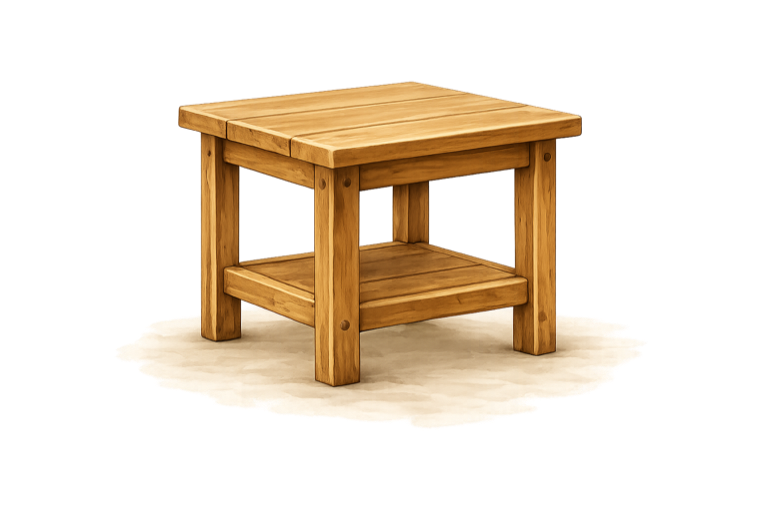
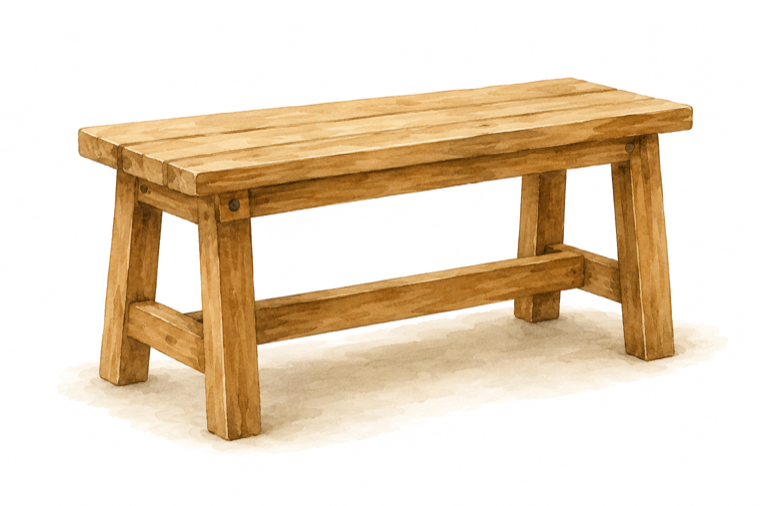
  • Furniture
  • Outdoor pieces
  • Planter boxes
  • Home décor
  • Custom commissions
  • Made-to-order
  • Small-batch products
  • Craft-show inventory
  • Marketplace sales
  • Cabinetry & built-ins

What you get

Everything in the box.

  • The complete Excel workbook — twelve connected tools, one file
  • Pricing Calculator with full price, profit, margin, and pay-per-hour breakdowns
  • Materials Library with waste factors and per-unit costing
  • Product Master & recipes — build each product’s numbers once
  • Product Catalog of saved, priced products
  • Quote & Proposal Builder with deposits, discounts, delivery, and terms
  • Order Tracker for stages, payments, and balances
  • Profit Dashboard with trends, health score, and product analytics
  • Woodworking Pricing Masterclass — the pricing principles behind the math
  • Built-in Help Center, Start Here setup guide, and per-tab instructions
  • Lists Manager to customize dropdowns to your shop
  • Licensing & usage terms included in the workbook
  • No macros — standard Excel formulas only
  • No subscription, no account, no login
  • Your business data stays in your file, on your computer
  • Built by a woodworker, for woodworkers

Before you buy

Questions, answered straight.

Which version of Excel do I need?

A current desktop version of Microsoft Excel — Microsoft 365 or Excel 2019 and newer, on Windows or Mac. The workbook uses standard Excel features, no add-ins.

Does it work with Google Sheets?

No. The workbook is built and tested for Microsoft Excel. Importing it into Google Sheets isn’t supported and will break formatting and features.

Does it use macros?

No macros. Everything runs on standard Excel formulas, so there are no security warnings to click through and nothing to enable.

Is this a subscription?

No. It’s a one-time purchase. The file is yours, and your data lives in your copy on your computer.

What if it doesn’t work out for me?

You’re covered by a 30-day money-back guarantee. If the toolkit isn’t a fit, email me within 30 days of purchase and I’ll refund you in full — no questions asked.

Can I customize the materials and products?

Yes — that’s the point. You enter your own materials, costs, waste factors, labor rate, overhead, and products. The Lists Manager also lets you customize the dropdown categories to match your shop.

Does it work for custom furniture and made-to-order pieces?

Yes. It was designed around custom and made-to-order work: build a recipe for the piece, price it with your real costs and time, quote it, and track the order through delivery.

Does it calculate labor and overhead?

Yes. You set your labor rate and overhead in Shop Settings once, and every price includes them — along with materials, waste, delivery, fees, and your profit target.

Can I create quotes for customers?

Yes. The Quote & Proposal Builder produces a clean, customer-ready quote with line items, discounts, delivery, deposit required, and terms — built from your saved products.

Does it track orders and payments?

Yes. The Order Tracker follows every order’s production stage, deposits received, balances due, and delivery — and feeds the Profit Dashboard.

Is setup guidance included?

Yes. The Start Here tab walks you through setup step by step, every tab has its own instructions, and the built-in Help Center covers each section of the workbook. The Woodworking Pricing Masterclass explains the pricing principles behind the math.

Is this an instant download?

Yes. You get the workbook as a digital download right after purchase — no waiting, nothing shipped.

Can I use it on a phone or tablet?

The workbook is designed for desktop Excel, where you’ll do your pricing and quoting. You can open it in Excel’s mobile apps to look numbers up, but it’s built to be worked in on a computer.
Still have a question?

Ask before you buy.

Send a note and you’ll get an answer from the woodworker who built the toolkit — not a support queue.

Answers come from Patrick, usually within a day.

Woodworkers Pricing & Profit Toolkit

Know what it costs.
Charge what it’s worth.
Keep what you earn.

Every project you price by guess is a project that might be paying you less than minimum wage. Put your real numbers to work instead.

One-time purchase  ·  Instant digital download  ·  Microsoft Excel  ·  No subscription  ·  30-day money-back guarantee